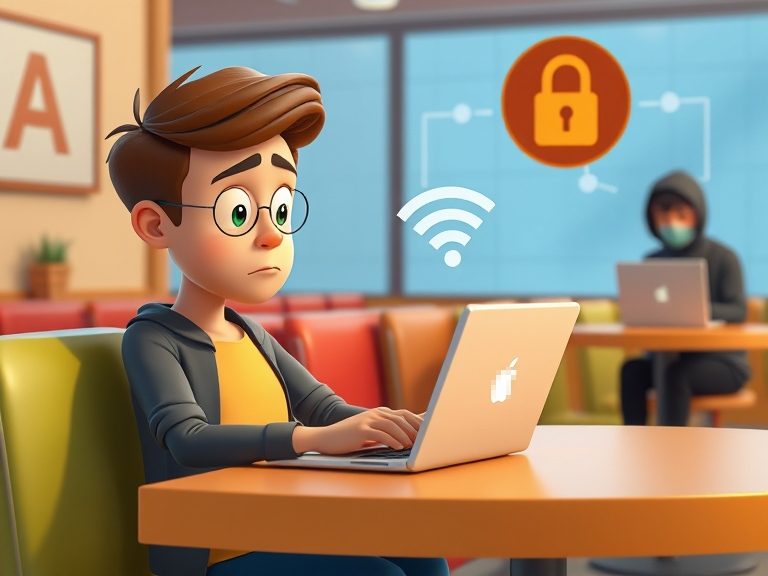
We’ve all been there: you walk into a coffee shop, airport, or hotel and spot a free Wi-Fi network. It’s tempting, right? You’re in need of checking emails, scrolling through social media, or getting some work done while sipping your latte. But have you ever wondered if that free Wi-Fi is safe?
Hackers often target these networks to intercept your personal information, track your online activity, or even install harmful software on your device. In this blog, we’ll walk you through the risks of public Wi-Fi and share simple, effective steps to stay safe and keep your data secure the next time you connect on the go.
Why Is Public Wi-Fi Risky?
Public Wi-Fi networks, like those in cafes, airports, or hotels, are often unsecured. This means they don’t have strong passwords or encryption methods to protect your data. Without this protection, it’s easier for hackers to intercept your internet traffic and access your sensitive information.
Imagine this: you’re typing in your credit card details or logging into your bank account on an unsecured Wi-Fi network. A hacker nearby could be monitoring the traffic and steal that data without you even knowing.
Some common risks include:
- Man-in-the-Middle Attacks: Hackers can insert themselves between you and the website you’re visiting. They can then see everything you send and receive, like passwords or personal information.
- Data Interception: Without encryption, anyone using the same network can potentially view your browsing activity. This could mean your private messages, emails, or even credit card numbers are exposed.
- Fake Networks: Hackers often set up fake Wi-Fi networks with names similar to the real one. If you’re not paying attention, you might unknowingly connect to a fake one, allowing the hacker to monitor your activity.
- Malware Distribution: Hackers can use public Wi-Fi to distribute malware. Once connected, malicious software could be downloaded onto your device, compromising its security.
How to Stay Safe on Public Wi-Fi
There are several ways to stay safe while using public Wi-Fi. Here are some simple tips:
1. Use a VPN (Virtual Private Network)
A VPN is one of the best ways to secure your connection on a public network. It encrypts your internet traffic, making it unreadable to anyone who might try to intercept it. With a VPN, even if a hacker manages to access the network, your data will be scrambled and useless to them.
Example: Imagine you’re at a coffee shop using the Wi-Fi. You open a website, and without a VPN, a hacker could see your browsing history. With a VPN, the website you visit is hidden from anyone spying on the network.
2. Turn Off Sharing Settings
Many devices allow you to share files or data with other devices connected to the same network. While convenient, this can also be a security risk on public Wi-Fi. Before you connect, disable file sharing or any other type of sharing on your device.
How to do this:
- Windows: Go to Settings > Network & Internet > Wi-Fi > Manage known networks and turn off network sharing.
- Mac: Go to System Preferences > Sharing and uncheck all sharing options.
3. Use HTTPS Websites
When you’re browsing the internet, always look for HTTPS in the URL rather than just HTTP. HTTPS means the website encrypts your data, making it much harder for hackers to intercept.
Example: When shopping online, make sure the website address starts with HTTPS before entering any personal information, like your address or credit card number.
4. Forget the Network After Use
Once you’re done using public Wi-Fi, make sure to disconnect and “forget” the network on your device. This ensures that your device won’t automatically reconnect to it in the future without your knowledge.
5. Avoid Sensitive Transactions
While it’s tempting to catch up on emails or shop online while waiting for your flight, it’s best to avoid logging into sensitive accounts, like your bank account or email, when using public Wi-Fi. If possible, wait until you’re on a more secure network.
What to Do if You Think You’ve Been Hacked
Even with precautions, things can still go wrong. If you suspect that you’ve been hacked while using public Wi-Fi, here’s what you should do:
1. Disconnect Immediately
If you notice anything unusual, disconnect from the Wi-Fi network right away. This can stop the hacker from accessing your data.
2. Change Your Passwords
If you were using a website or app that requires a login, change your passwords immediately. Focus on accounts with sensitive data, like your bank or email.
3. Monitor Your Accounts
Keep an eye on your bank accounts, credit cards, and any other sensitive accounts. Look for any unusual activity and report it to the respective company or service.
4. Run Antivirus Software
If you suspect malware might have been downloaded onto your device, run an antivirus scan to check for any malicious software.
Final Thoughts
Public Wi-Fi is an amazing convenience, but it can also be a hacker’s playground if you’re not careful. By following the simple steps above, you can greatly reduce your risk and use public networks more safely.
Always be aware of the risks, use a VPN, avoid sensitive transactions, and keep your devices secure. With a little caution, you can continue enjoying the perks of free Wi-Fi without worrying about your data being compromised and can stay safe from cyber-attacks.
Stay safe out there, and happy browsing!