On March 24, 2026, one of the most widely used AI gateway libraries got hit by a supply chain attack. If you use LiteLLM in your Python projects, CI/CD pipelines, or Docker builds, you need to read this carefully.
The LiteLLM supply chain attack is a perfect example of how attackers are now targeting the AI development ecosystem, not just traditional software. This is not a theoretical risk anymore. It happened, it was live for around 40 minutes, and it was designed to steal credentials from anyone who installed the wrong version.
Table of Contents
- What is LiteLLM?
- What Exactly Happened in the LiteLLM Supply Chain Attack?
- How the LiteLLM Supply Chain Attack Worked
- Who is Affected?
- Indicators of Compromise (IoCs) to Check Right Now
- What You Must Do If You Are Affected
- Verified Safe Versions
- Key Lessons From This LiteLLM Supply Chain Attack
- Final Thoughts
What is LiteLLM?
LiteLLM is a popular open-source Python library that acts as a unified gateway for calling different large language model APIs, whether that is OpenAI, Anthropic, Gemini, or others. Developers and AI teams use it heavily in production to manage LLM traffic, routing, and load balancing. It is used in AI agent frameworks, MCP servers, and LLM orchestration tools.
That widespread adoption is exactly what makes it such an attractive target for attackers.
What Exactly Happened in the LiteLLM Supply Chain Attack?
On March 24, 2026, two versions of LiteLLM were published to PyPI with malicious code inside them. These were v1.82.7 and v1.82.8. The packages went live at 10:39 UTC and were live for approximately 40 minutes before PyPI quarantined them.
According to the official LiteLLM security update, the compromise appears to have originated through the Trivy dependency used in their CI/CD security scanning workflow. The attacker used stolen credentials to bypass official CI/CD workflows and uploaded the malicious packages directly to PyPI.
This is the same Trivy supply chain attack that was separately reported and had a much broader impact across the open source ecosystem. You can read more about the Trivy angle in our earlier coverage of the Trivy supply chain attack and its self-spreading worm across npm.
How the LiteLLM Supply Chain Attack Worked
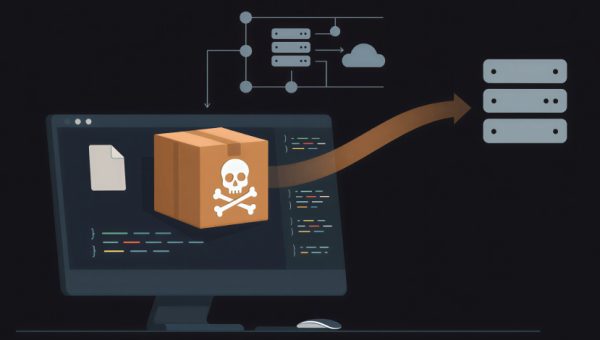
The malicious payload in the affected LiteLLM versions was a credential stealer. Here is what it was designed to do once installed on your system.
It would scan your environment for secrets including environment variables, SSH keys, cloud provider credentials for AWS, GCP, and Azure, Kubernetes tokens, and database passwords. Once it gathered those secrets, it would encrypt them and send them out via a POST request to a domain called models.litellm[.]cloud. That domain is not affiliated with the real LiteLLM team at all. It was set up specifically for this attack.
Version v1.82.8 went further by also dropping a file called litellm_init.pth into your Python site-packages directory. This is a persistence mechanism. Even if you removed the bad package, this file could keep executing malicious code on every Python startup.
The attack also communicated with a second suspicious domain: checkmarx[.]zone. That too is not a legitimate LiteLLM or BerriAI domain.
For more context on how AI toolchains are being targeted this way, check out our post on AI code sandbox DNS exfiltration flaws in LangSmith and SGLang, which covers a related class of vulnerabilities hitting the AI development ecosystem.
Who is Affected?
You are likely affected by the LiteLLM supply chain attack if any of the following is true for your setup.
You installed or upgraded LiteLLM via pip on March 24, 2026, between 10:39 UTC and roughly 16:00 UTC. You ran pip install litellm without pinning a version and received either v1.82.7 or v1.82.8. You built a Docker image during that window that included an unpinned pip install litellm. A dependency in your project pulled in LiteLLM as a transitive dependency without pinning.
You are not affected if you are running LiteLLM Cloud, using the official Docker image from ghcr.io/berriai/litellm (which pins dependencies and did not use the compromised packages), were on v1.82.6 or earlier without upgrading during the window, or installed from source via GitHub (the source repository was not compromised).
To quickly check your installed version, run:
pip show litellmIndicators of Compromise (IoCs) to Check Right Now
If you suspect your system was exposed during the LiteLLM supply chain attack window, look for these specific indicators.
First, check for the persistence file in site-packages:
find /usr/lib/python3.13/site-packages/ -name "litellm_init.pth"If that file exists, your system was likely compromised and you need to remove it immediately and treat the host as suspect.
Second, check your network logs for any outbound traffic to models.litellm[.]cloud or checkmarx[.]zone. Both are attacker-controlled domains used for credential exfiltration. Any communication to those domains means secrets may have left your environment.
What You Must Do If You Are Affected
This is not a situation where you can patch and move on. If you installed v1.82.7 or v1.82.8, treat every secret on that system as compromised.
The first and most critical action is to rotate all secrets immediately. That means every API key, cloud access key (AWS, GCP, Azure), database password, SSH key, Kubernetes token, and any secrets stored in environment variables or config files on that host.
Next, run the filesystem check above to look for the litellm_init.pth file. If found, remove it and engage your security team for proper forensic preservation before wiping the host.
Then audit your CI/CD pipeline logs and Docker build history to confirm whether the affected versions were pulled. If you run GitHub Actions, the LiteLLM team published a community-contributed Python script that scans all repositories in your GitHub organization for workflow jobs that installed the compromised versions. You can find the full script in the official security update post. A similar script exists for GitLab CI as well.
Once you have remediated, pin LiteLLM to a known safe version and upgrade to v1.83.0, which was released through a new hardened CI/CD v2 pipeline.
Verified Safe Versions
The LiteLLM team audited every release from v1.78.0 through v1.82.6 on both PyPI and Docker. All of those versions are confirmed clean. The new safe version to run is v1.83.0, which was built with an isolated environment, stronger security gates, and cosign-based Docker image signing.
If you are deploying Docker images from v1.83.0 onward, you can verify the image signature using cosign:
cosign verify \
  --key https://raw.githubusercontent.com/BerriAI/litellm/<release-tag>/cosign.pub \
  ghcr.io/berriai/litellm:<release-tag>
This gives you cryptographic assurance that the image you are pulling is what the LiteLLM team actually published and has not been tampered with.
Key Lessons From This LiteLLM Supply Chain Attack
The LiteLLM supply chain attack is a clear signal that the AI development toolchain is now a high-value attack surface. A few hard lessons stand out.
Pin your dependencies. Running pip install litellm without a version pin in production or CI/CD is asking for trouble. Always pin to a specific version and verify the hash. This single habit would have protected most teams from this LiteLLM supply chain attack entirely.
Your security tooling can itself become the attack vector. Trivy is a security scanner used to detect vulnerabilities. In this case, the attacker compromised Trivy’s GitHub Actions tags and used that trusted tool to steal credentials from the LiteLLM build pipeline. Security tools deserve the same level of trust verification as production dependencies.
Monitor outbound traffic from your build environments. CI/CD pipelines should not be making unexpected outbound POST requests. Network egress monitoring in build and dev environments is underinvested in most teams and this incident shows exactly why it matters.
Understand your transitive dependency risk. Many developers did not install LiteLLM directly but pulled it in through AI agent frameworks, MCP servers, or orchestration libraries. The LiteLLM supply chain attack spread through those indirect paths too. You need visibility into your full dependency tree, not just your direct dependencies.
For a broader understanding of how AI-specific risks are evolving, our post on the OWASP Top 10 for LLM Applications is worth reading alongside this incident to understand where supply chain threats fit into the larger LLM security picture.
Final Thoughts
The LiteLLM supply chain attack lasted less than an hour on PyPI. But for anyone who ran an unpinned pip install during that window, the damage could be significant. Stolen cloud keys, database credentials, and SSH private keys are exactly the kind of material that enables follow-on attacks including ransomware, data theft, and infrastructure takeovers.
If you are in the AI development space, this incident should prompt a serious review of your dependency management practices, your CI/CD security posture, and how you monitor for unexpected behavior in build environments. The LiteLLM supply chain attack is not the last of its kind. The AI ecosystem is growing fast and attackers are paying close attention to every new tool that gets widely adopted.
For the latest updates on the incident, follow the official LiteLLM security page and reach out to their team at security@berri.ai if you believe your systems were affected.