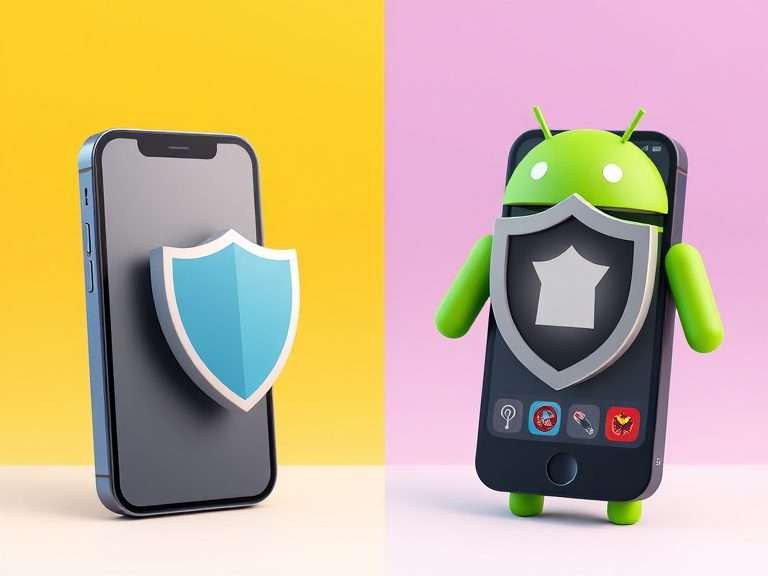
Whenever people compare Android vs iOS security, the discussion usually gets reduced to one line: iPhone is secure, Android is open, so Android must be riskier. It sounds simple, but smartphone security is a little more complicated than that.
Both Android and iOS have strong security built into them. What really separates them is how they create security boundaries, how apps are allowed to behave, how quickly updates reach a phone, and how much control the company has over the device.
So, which is safer?
For most people, a current iPhone offers a more consistent security experience because Apple controls the hardware, operating system and update process closely. That does not mean Android is insecure. A modern Android phone with long-term security support, current patches and its built-in protections can also be very secure.
There is one point worth keeping in mind before we go any further: the phone itself matters more than the logo on it. A fully updated device with a strong security design is a better place to be than an older phone that has stopped receiving security patches. Here is why.
Before Comparing Android and iOS, Understand the Security Problem
A smartphone has several security layers, and all of them have to work together. The hardware needs a trusted way to start the software. The operating system needs to keep apps from interfering with one another. Sensitive actions need permission checks. Security fixes need to reach the device. And then there is the human side of security, where a phishing message or a convincing scam can sometimes do what a piece of malware cannot.
That is why calling one operating system simply “safer” can be misleading. A platform can have a very strong design and still have vulnerabilities. In the same way, a fully patched phone can be compromised if someone is tricked into handing over a password or one-time code.
iOS Security: Why Apple’s Control Matters
Apple has unusually tight control over the iPhone. It designs the hardware, develops iOS, controls the update process and manages most of the normal software distribution. That lets Apple keep the different parts of the security model closely connected across supported iPhones.
1. App sandboxing keeps applications separated
One of the basic ideas behind iOS security is sandboxing. A normal third-party app is not supposed to simply open another app’s private files or change protected parts of the operating system.
A simple way to picture it is to imagine every app having its own room. Your banking app can do its work inside its room, but it does not automatically get a key to the room where your messages are stored. If an app needs something sensitive, it has to go through the permissions and system services available to it.
Apple adds code signing, entitlements and other controls on top of sandboxing. Together, these controls help decide what software can run and what that software is allowed to do. Apple’s current Platform Security documentation explains these layers in detail.
2. Secure boot creates a chain of trust
When an iPhone starts, it does not just load whatever software happens to be sitting on the device. Apple’s secure boot process creates a chain of trust, with each stage checking the next one before handing over control.
Why does that matter? If someone manages to modify a low-level part of the operating system, the boot process has checks designed to detect software that is not trusted. Apple also uses anti-rollback protections, which make it harder to take a device back to an older and potentially vulnerable version of the software.
3. Hardware security protects the keys that matter
Some of the most important security work happens below the normal app layer. Modern iPhones use hardware-backed security features, including the Secure Enclave, to protect sensitive operations involving passcodes, biometric authentication and cryptographic keys.
So Face ID is not just a convenient way to unlock the phone. It is part of a much bigger hardware and key-protection system. Apple’s Secure Enclave is designed to stay isolated from the main processor and protect sensitive information even if parts of the main operating system are compromised.
4. App distribution is controlled, but not completely closed
Apple has traditionally kept app distribution tightly controlled. Apps distributed through its normal channels go through review, code signing and other platform checks. That removes some of the easier paths attackers can use to get malicious software onto a phone.
But an App Store review is not a guarantee that an app can never have a security problem. Review is one layer of defence. Sandboxing, permissions, code signing and security updates still matter after the app is installed.
There are also regional differences. In the European Union, Apple supports alternative app marketplaces and other alternative distribution options because of regulatory requirements. Apple has said that alternative distribution introduces additional risks compared with its normal App Store model.
5. Security updates are part of the security architecture
All of this architecture only helps if known vulnerabilities are actually fixed. Apple regularly publishes security updates for parts of iOS such as WebKit, the kernel, graphics libraries, networking code and other system components.
A good example from 2025 is CVE-2025-24201, an out-of-bounds write in WebKit. Apple said malicious web content could break out of the Web Content sandbox and noted that the issue had been reported in an extremely sophisticated targeted attack. Apple fixed it in an iOS security update released in March 2025. Apple’s security advisory for CVE-2025-24201
Apple’s more recent releases show the same thing. For example, iOS 26.7, released in September 2026, fixed issues involving Bluetooth, CoreMedia, the kernel, storage, WebKit and other components. Some of those vulnerabilities could lead to code execution, sensitive-data access or privilege escalation. Apple’s iOS 26.7 security content
Android Security: Strong Architecture With More Variation
Android works a little differently. Google develops the Android platform, but many companies build phones around it. Samsung, Google, Xiaomi, OnePlus, Motorola and others can add their own hardware, software and security features.
That flexibility is useful, but it also creates an important difference: two Android phones can have very different security lifecycles. The Android name alone does not tell you how long a particular phone will receive patches or exactly which hardware security features it has.
1. Android gives each app its own security boundary
Android apps normally run with their own Linux user identity and inside an application sandbox. Permissions and other platform controls then limit access to sensitive resources.
For example, an app asking for access to your camera, microphone, contacts or location is not automatically malicious. The better question is whether the permission makes sense for what the app is supposed to do. If a simple calculator suddenly wants access to your microphone, that should make you pause.
2. Verified Boot helps protect the operating system
Android also uses Verified Boot to establish trust in the software that starts on the device. Important partitions are checked during the boot process so the system can detect if protected software has been changed.
This matters because changing the operating system itself can give an attacker much more power than compromising one ordinary app. Verified Boot is designed to make that kind of persistent tampering harder to hide.
3. Hardware-backed Keystore protects sensitive keys
Android can use hardware-backed security through technologies such as the Android Keystore and supported secure hardware. The basic idea is straightforward: sensitive cryptographic keys should not simply sit in ordinary app storage where a compromised app can read them.
The exact hardware security features depend on the phone. This is another reason why it is too broad to talk about “Android security” as though every Android model offers exactly the same protection.
4. Google Play Protect adds another layer
Google Play Protect checks Android apps for potentially harmful behaviour and can warn users about harmful applications. Google says Play Protect is enabled by default on devices with Google Mobile Services and is especially useful for people who install apps from outside Google Play.
This matters because Android gives users more freedom to install software from different sources. That can be useful, but it also means there is more room for a user to make a risky choice, such as installing an APK from an unfamiliar website.
5. Android security updates depend on the device
This is probably the biggest thing to understand when comparing Android phones with iPhones.
Google publishes regular Android Security Bulletins. The September 2026 bulletin, for example, lists critical and high-severity issues affecting components such as the Android framework, system, kernel and other device components. Google says a security patch level of 2026-09-05 or later addresses the issues covered by that patch level.
But publishing a fix in Android is only part of the story. The manufacturer still has to deliver the appropriate update for your particular phone. Google, Samsung, Motorola, Xiaomi and other manufacturers have different update policies and support periods.
So when buying an Android phone, don’t just ask, “Which Android version does it run?” Ask how long this exact model will receive security updates, and check its current security patch level as well.
Android vs iOS: What Do the Vulnerability Numbers Actually Tell Us?
This is where the comparison gets a bit more interesting. CVE numbers can give us useful context, but they should not be treated as a simple security score. The number of published vulnerabilities depends on how issues are found, reported, assigned and documented.
One transparent 2025 comparison from Appaloosa Scout, which uses NVD data and official Apple and Android advisories, counted 513 Android CVEs and 375 iOS CVEs in its tracked scope. It also found 11 Android CVEs and 11 iOS CVEs that were added to CISA’s Known Exploited Vulnerabilities catalog. So Android had more published CVEs in that dataset, but the number of vulnerabilities known to have been exploited was the same. Appaloosa Scout’s 2025 methodology and data
That is useful context, but it would be wrong to turn it into “Android is less secure.” A raw CVE count does not tell us how serious every vulnerability was, how difficult each one was to exploit, or how quickly it was fixed. Cross-platform issues can also be counted differently depending on the dataset.
For 2026, I would not publish a full-year Android-versus-iOS CVE winner yet because the year is still incomplete. Vulnerability databases continue to receive and correct records, so current-year numbers are not final. That is why this article uses 2025 for the cleaner numerical comparison and 2026 examples to show what is happening right now.
Examples from both platforms
- iOS: CVE-2025-24201 was a WebKit out-of-bounds write that could allow malicious web content to break out of the Web Content sandbox. Apple said it had been reported in a highly sophisticated targeted attack.
- iOS: CVE-2025-43300 was an ImageIO out-of-bounds write that could cause memory corruption when processing a malicious image. Apple said it was aware of a report that the issue had been exploited in a highly sophisticated targeted attack.
- Android: CVE-2026-0006, listed in Google’s March 2026 bulletin, was a critical system vulnerability that could lead to remote code execution without additional execution privileges or user interaction.
- Android: CVE-2026-0073 involved wireless ADB authentication and could allow a remote attacker to execute code as the shell user under the conditions described by the advisory.
These examples tell us something fairly simple: both platforms continue to receive fixes for serious vulnerabilities. Good security architecture can limit what an attacker gets after finding a weakness, but it cannot replace regular patching.
Why Both Platforms Are Difficult to Attack
From an architecture point of view, Android and iOS are built around a similar idea: don’t automatically trust an app just because it is running on the phone.
Both platforms use several layers instead of relying on one magic security feature. A simple way to look at those layers is:
- Hardware root of trust: protects important keys and helps establish trust when the device starts.
- Secure boot: checks that important operating-system components are trusted.
- Application sandboxing: limits what one app can access from another app.
- Permissions and entitlements: control access to sensitive resources.
- Code signing: helps restrict which software is allowed to run.
- Encryption: protects stored information when implemented and configured correctly.
- Security updates: remove known weaknesses after they are discovered.
A Simple Example: What Happens if a Malicious App Gets Installed?
Imagine you install a fake flashlight app. The app is malicious, but the phone is fully updated.
The app may try to access your contacts, microphone, location or files. Sandboxing and permissions are supposed to stop it from simply taking whatever it wants. If it then tries to exploit a separate operating-system vulnerability, it has another security boundary to get through.
Now change the situation. The phone has not received security updates for a year, and the attacker is using a known vulnerability to escape the app sandbox. The picture changes very quickly.
That is why patching and architecture have to work together. Architecture can limit an attacker’s options. Patching closes known routes through those boundaries.
A Real-World Example: A Fake Banking App
Imagine getting a message that says your bank account will be blocked unless you install a new security app.
The attacker gives you a link to download the app. On Android, they may try to convince you to install an APK from an unknown website. On an iPhone, they may instead send you to a fake banking website and ask for your username, password and one-time code.
The operating system can put several technical barriers in the attacker’s way, but it cannot completely solve the social-engineering part. If you enter your banking password and OTP into a fake website yourself, the attacker may not need malware at all.
That is why phishing remains a major part of smartphone security, regardless of which operating system you use.
What About Spyware and Targeted Attacks?
For most people, phishing, malicious apps, stolen passwords and account takeovers are much more realistic threats than a highly sophisticated spyware campaign. Still, targeted attacks are worth looking at because they show where even a strong security platform can be pushed to its limits.
Apple’s Lockdown Mode is designed for the small number of people who may face highly sophisticated attacks. Android also has multiple platform and hardware protections, but the exact capabilities depend on the device and its security implementation.
The takeaway isn’t that one platform is immune to spyware. It is that good mobile security assumes vulnerabilities will eventually be found and tries to limit what an attacker can do after one security boundary is crossed.
The Phone Matters More Than the Logo
If security is your main concern when buying a phone, don’t stop at “Android” or “iPhone.” Look at the specific model.
- How long will it receive security updates?
- When was its latest security patch?
- Does the manufacturer publish security advisories?
- What hardware-backed security features does the device support?
- Can you install updates promptly when they are released?
A phone can have a strong security design on paper and still become a problem if it no longer receives important updates. That is one of the most practical points to take away from the Android-versus-iOS debate.
Android vs iOS Security: The Important Differences
| Security area | iOS | Android |
|---|---|---|
| App isolation | Strong sandboxing, code signing and permission controls | Sandboxing, permissions and platform security controls |
| Secure boot | Hardware-backed chain of trust and secure boot | Verified Boot and hardware-backed trust on supported devices |
| App distribution | Highly controlled, with regional alternatives in the EU | Google Play plus other distribution options depending on device and configuration |
| Security updates | Apple controls iOS updates for supported iPhones | Depends on Google, the device manufacturer and device components |
| Malware protection | App review, code signing, sandboxing and other platform protections | Play Protect, sandboxing, permissions and other Android security controls |
| Hardware security | Apple-designed hardware security features, including Secure Enclave | Hardware-backed security is widely used, but capabilities vary by device |
| Customization | More restricted | More flexible |
| Security experience | Generally more consistent across supported iPhones | Can vary significantly between manufacturers and models |
Final Thoughts
If we had to choose between the two based purely on the overall security experience, we would give iOS the edge for most users.
That isn’t because iOS has fewer vulnerabilities. The CVE numbers don’t tell us that. The bigger advantage is Apple’s level of control. Apple designs the hardware, controls the operating system, manages the update process and builds security features such as Secure Enclave, code signing and app sandboxing into the platform.
Android has a strong security architecture of its own, and a current Pixel, Galaxy or another well-supported Android phone can also be very secure. The difference is that the Android security experience can vary more depending on the manufacturer, model, update policy and device configuration.
So our view is fairly simple: if security consistency is the main priority and we had to pick one, we’d choose a current iPhone. But we would take a well-supported, fully patched Android phone over an outdated iPhone without hesitation.