Cybersecurity is the practice of protecting digital devices, networks, applications, and data from unauthorized access, disruption, theft, or damage. It combines technology, people, and processes to reduce risk and help you recover when something goes wrong.
In everyday life, cybersecurity means keeping someone out of your email, protecting your bank account from fraud, and making sure your photos and documents remain available. For a business, it also means protecting customer information and keeping essential services running.
You may see it written as “cyber security” or “cybersecurity”. Both refer to the same field. You do not need to be a technical expert to understand the basics: know what matters, understand what could go wrong, and use several layers of protection rather than relying on one tool.
Why is Cybersecurity Important?
Cybersecurity matters because daily life depends on digital systems. Banking, healthcare, shopping, education, and communication all rely on accounts, connected devices, and information that someone needs to keep safe.
A successful attack can cause more than a temporary inconvenience:
- Financial loss: Criminals may steal money, redirect payments, or demand a ransom.
- Loss of privacy: Exposed identity documents, medical records, or messages can enable fraud and cause lasting harm.
- Disruption: Locked files or unavailable systems can stop a business from serving customers or a hospital from accessing information.
- Recovery costs: Investigating an incident, rebuilding systems, and notifying affected people takes time and resources.
- Loss of trust: Customers and partners may hesitate to use a service after their information has been mishandled.
The goal is not to promise that attacks will never happen. It is to make attacks harder, detect problems sooner, and limit the damage. Individuals, small businesses, and large organizations all benefit from this approach.
Types of Cybersecurity
Cybersecurity includes several overlapping areas. There is no single universal list, but these seven areas provide a useful starting point.
1. Network Security
Network security protects connections between devices and services. Firewalls, network monitoring, and segmentation help control traffic and limit how far an attacker can move. For example, a business can separate its guest Wi-Fi from systems that store customer records.
2. Application Security
Application security protects websites, mobile apps, APIs, and other software throughout their lifecycle. It includes secure design, code review, security testing, and fixing vulnerable components. A shopping site, for example, must check that one customer cannot access another customer’s order simply by changing a number in a link.
3. Cloud Security
Cloud security protects data, applications, and services hosted with cloud providers. Responsibilities are shared: the provider protects parts of the infrastructure, while customers remain responsible for areas such as access permissions and configuration, depending on the service. Keeping a cloud storage bucket private is one example.
4. Endpoint Security
Endpoints are devices such as laptops, phones, desktops, and servers. Endpoint security uses updates, device encryption, access controls, and threat detection to protect them. A managed work laptop might automatically install updates and alert a security team to suspicious activity.
5. Identity and Access Security
Identity security focuses on who can access a system and what they are allowed to do. It includes multifactor authentication, account recovery safeguards, and the principle of least privilege: giving people only the access they need. Removing an employee’s access when they leave is just as important as securing their sign-in.
6. Operational Security
Operational security concerns how sensitive information and systems are handled in daily work. It includes safe procedures for sharing information, approving changes, and managing privileged access. For example, a team should not paste passwords or private customer data into a public chat or an unapproved AI service.
7. Disaster Recovery and Business Continuity
Disaster recovery restores systems and data after an incident. Business continuity keeps essential activities running while recovery happens. Tested backups, recovery plans, and alternative ways to deliver critical services help organizations prepare for ransomware, equipment failure, and other disruptions.
Common Types of Cyber Attacks
An attack is an attempt to compromise a system or its information. Some attacks exploit software flaws; others exploit trust or mistakes. These categories can overlap: a phishing message might deliver malware that later deploys ransomware.
Phishing
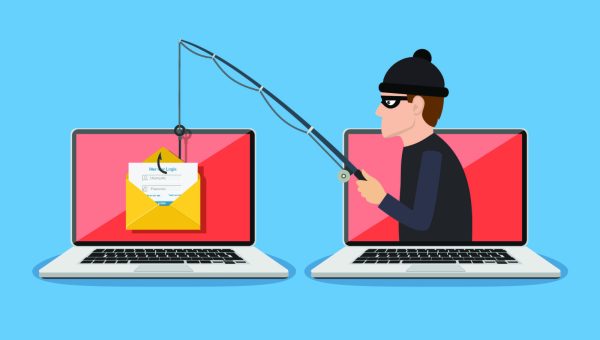
Phishing uses deceptive emails, texts, calls, or websites to trick people into revealing information or taking an unsafe action. A message may impersonate your bank and ask you to “verify” your account on a fake sign-in page. Open the official app or website yourself rather than following an unexpected link.
Malware
Malware is software designed to harm systems, spy on users, steal information, or provide unauthorized access. It includes viruses, trojans, spyware, and other malicious programs. For example, a fake software installer may secretly install an information stealer that collects saved credentials.
Ransomware
Ransomware can encrypt files or make systems unavailable, often alongside data theft and threats to publish stolen information. A business might discover that its shared documents are unreadable and receive a payment demand. Backups support recovery, but they do not undo the exposure of data already stolen.
Distributed Denial-of-Service (DDoS)
A DDoS attack overwhelms a service with traffic or requests from many sources, making it slow or unavailable to legitimate users. An online store might become unreachable during a busy sales period. DDoS attacks target availability; they do not necessarily involve stealing data.
Adversary-in-the-Middle Attacks
Also called man-in-the-middle attacks, these involve an attacker positioning themselves between communicating parties to intercept or manipulate traffic. An attacker-controlled wireless network may try to redirect a user to a fake website. HTTPS and proper certificate validation help protect connections; never ignore a browser’s certificate warning.
Social Engineering
Social engineering manipulates people into bypassing normal safeguards. Phishing is one form, but the approach also includes a caller pretending to be IT support and asking for a login approval. Verify unusual requests through a separate, trusted channel, especially requests involving payments, credentials, or account recovery.
Credential Attacks
Attackers may guess weak passwords, reuse credentials stolen from another service, or flood a user with login approval requests. Credential stuffing, for example, tests leaked email-and-password combinations on other websites. Unique passwords, rate limiting, and phishing-resistant authentication reduce this risk.
Exploitation of Software Vulnerabilities
Attackers can exploit flaws in websites, devices, and software to gain access or run unauthorized commands. For example, an unpatched internet-facing application may expose sensitive records. Prompt patching, secure configuration, and vulnerability management help reduce exposure.
Real-Life Cyber Attacks
- WannaCry Ransomware Attack (2017): This ransomware attack spread to computers in many countries, encrypting files and disrupting systems. It showed how quickly a security weakness in widely used software could be used to spread malware.
- Target Data Breach (2013): Attackers stole payment card data from Target customers after gaining access to the company’s network. The incident showed how a weakness in one part of an organization’s environment can lead to the exposure of sensitive customer information.
- SolarWinds Cyberattack (2020): Attackers compromised the SolarWinds Orion software and used a malicious update to gain access to some customer environments. The incident showed why organizations also need to consider security risks in the software and services they depend on.
- Change Healthcare Ransomware Attack (2024): The attack disrupted healthcare payment and claims services in the United States. It illustrates how an incident at a widely used service provider can affect many organizations that depend on it.
- MOVEit Transfer Exploitation (2023): Attackers exploited a vulnerability in a file-transfer product to steal data from organizations using it. The incident illustrates how a weakness in a shared software product can expose information across many organizations.
These examples show different risks: vulnerable software, compromised suppliers, stolen information, and interrupted services. Older incidents remain useful lessons, but the products and attack techniques change.
For practical actions you can take today, read how to protect yourself from cyberattacks in 10 easy steps.
How Does Cybersecurity Work?
Cybersecurity works through layers of protection: identify valuable assets, reduce exposure, protect access, detect suspicious activity, respond to incidents, and restore normal operations. No single product can do all of this.
The NIST Cybersecurity Framework organizes cybersecurity risk management around six functions: Govern, Identify, Protect, Detect, Respond, and Recover. It helps organizations treat security as an ongoing responsibility rather than a one-time installation.
The CIA Triad: Confidentiality, Integrity, and Availability
The CIA Triad describes three core goals of information security:
- Confidentiality: Information is accessible only to authorized people and systems. A medical record should be available to the patient and authorized care staff, not to every employee. Access controls and encryption help protect confidentiality.
- Integrity: Information remains accurate and is protected against unauthorized changes. A payment instruction must not be secretly altered to send money to a different account. Permissions, digital signatures, and audit logs help protect integrity.
- Availability: Authorized users can access information and services when needed. A secure patient portal is not useful if people cannot reach it during care. Resilient infrastructure, DDoS protection, and tested recovery procedures support availability.
These goals work together. Encrypting important files protects confidentiality, but losing the only decryption key can destroy availability.
Attack Surface, Least Privilege, and Zero Trust
Your attack surface is the collection of places where an attacker might try to gain access: accounts, exposed services, devices, applications, and connections to suppliers. Removing unused accounts and software reduces that surface.
Least privilege limits the damage an account can cause. Someone who only needs to read a report should not automatically receive permission to delete the underlying database.
Zero trust means access should not be trusted solely because a user or device is on an internal network. Access decisions should consider identity, device condition, and the resource being requested. It is an approach to security architecture, not a product you install once.
Everyday Security Controls
These familiar controls put the principles into practice:
- Antivirus Software: Antivirus software checks your device for harmful programs and can remove or block them. For example, if you download a malicious file by mistake, your security software may detect it before it can cause damage.
- Firewalls: A firewall checks network connections and can block traffic that should not be allowed. You can think of it as a checkpoint that decides which connections can reach your device or network.
- Strong Passwords: Use a different, hard-to-guess password for each important account. A longer password that uses a mix of uppercase and lowercase letters, numbers, and special characters can make guessing more difficult. Avoid common words, names, birthdays, and other easy-to-guess information. CISA’s password guidance also recommends using unique passwords and a password manager.
- Two-Factor Authentication: 2FA adds another step when you sign in. After entering your password, you may also need to enter a code from an authenticator app or approve the login on your phone. This can help protect your account if someone gets your password. Learn more about MFA from CISA.
- Regular Software Updates: Software updates often fix security problems that attackers could use to break into a device or application. Turn on automatic updates when available, especially for your operating system, browser, and commonly used apps. CISA recommends installing security updates promptly.
Tips to Stay Safe Online
- Be Careful with Personal Information: Think twice before posting details such as your full date of birth, home address, phone number, or travel plans. Someone can use these details to make a scam look more believable or gather information about you.
- Check Websites Before Entering Information: When shopping or banking online, check the website address carefully and look for HTTPS. HTTPS protects the connection between your browser and the website, but it does not mean the website itself is trustworthy. Make sure the domain name is the one you expect before entering your password, card details, or other sensitive information.
- Be Careful with Public Wi-Fi: Avoid banking or entering sensitive information on public Wi-Fi when you have another option. If you need to use it, make sure you are connecting to the correct network and consider using mobile data or a trusted VPN.
- Monitor Your Accounts: Regularly check your bank and credit card statements for any suspicious activity.
- Learn About Common Scams: Knowing how common scams work makes them easier to spot. Before clicking a link, check where it leads and be careful with messages that create pressure or ask for passwords, payment details, or other sensitive information.
- Check Your Privacy Settings: Review the privacy settings on your social media accounts and limit who can see your personal information. These settings can usually be changed if you want to share less publicly.
- Be Careful with Unexpected Messages: Unexpected pop-ups, emails, and messages can contain harmful links or try to trick you into giving away personal information. If a message looks suspicious, do not use its link. Open the company’s official website or app yourself instead. CISA’s online safety guidance also recommends recognizing and reporting phishing messages.
- Secure Your Home Network: Change the default administrator password on your router and use a strong, unique password. Keep the router’s software updated and turn off remote administration if you do not need it.
- Back Up Important Data: Keep backups separate from your main device and protect backup accounts. Test that you can restore files. For organizations, backups should include copies that attackers cannot easily modify or delete.
- Use Phishing-Resistant Sign-In Where Available: Passkeys and hardware security keys can offer stronger protection against phishing than one-time codes. Never share a login code or approve a sign-in you did not initiate.
- Have a Response Plan: If you suspect compromise, use a trusted device to secure affected accounts, contact your bank if money is at risk, and report the incident through the relevant service or your organization’s security team. Follow workplace incident procedures rather than investigating a work device yourself.
Cybersecurity vs. Information Security
Information security protects information in any form, including digital files, printed records, and spoken information. Cybersecurity focuses on digital systems, networks, devices, and data.
For example, protecting a locked cabinet of paper medical records is an information security task. Protecting an online patient portal is a cybersecurity task. The fields overlap, and organizations may use the terms differently, but this distinction is useful for beginners.
Privacy is related but not identical. A system can be well protected against intruders while still collecting more personal information than necessary. Good privacy practice also asks what data should be collected, how it should be used, and how long it should be kept.
Is Cybersecurity a Good Career?
Cybersecurity can be a rewarding career for people who enjoy problem-solving, continuous learning, and protecting others. Roles include security operations analyst, incident responder, application security engineer, cloud security specialist, penetration tester, and governance, risk, and compliance professional. The daily work varies: one person may investigate suspicious activity while another reviews access controls or helps a team meet security requirements.
You do not need to begin as an expert hacker. Start with networking, operating systems, identity, and basic security concepts, then practice in legal training environments or systems you own. Learn to explain risks clearly and document what you find. Coding is valuable for automation and technical roles, but not every cybersecurity job requires extensive programming. Certifications can support learning; they do not replace practical skills or guarantee employment.
Before choosing a path, look at real job descriptions in your region and compare their requirements with your interests. Some roles involve on-call work or high-pressure incident response, while others focus on design, assurance, education, or policy.
Frequently Asked Questions About Cybersecurity
1. What is cybersecurity in simple words?
Cybersecurity means protecting digital devices, accounts, networks, and information from unauthorized access, theft, damage, or disruption. It includes the tools you use and the everyday decisions you make online.
2. What are the different types of cybersecurity?
Common areas include network security, application security, cloud security, endpoint security, identity and access security, operational security, and disaster recovery. These areas overlap and work together.
3. What is the CIA Triad in cybersecurity?
The CIA Triad stands for confidentiality, integrity, and availability. It means keeping information private, protecting it from unauthorized changes, and ensuring authorized users can access it when needed.
4. What is the difference between cybersecurity and information security?
Information security protects information in all forms, including paper records. Cybersecurity focuses on protecting digital information and the systems that store, process, or transmit it.
5. What are the most common types of cyber attacks?
Common attack categories include phishing, malware, ransomware, credential attacks, DDoS, social engineering, and exploitation of software vulnerabilities. An incident may involve several techniques, so these are not mutually exclusive categories or a ranking.
6. What does a cybersecurity professional do?
Cybersecurity professionals identify risks, implement safeguards, monitor systems, investigate suspicious activity, and help organizations respond and recover. Specific responsibilities depend on the role and organization.
7. Does cybersecurity require coding?
Not every role requires coding. Programming and scripting are especially useful in application security, security engineering, and automation, while many risk, compliance, and awareness roles emphasize other skills. Basic technical literacy is valuable across the field.
8. Is cybersecurity worth learning in 2026?
Cybersecurity skills are useful because digital accounts and services are part of everyday life and work. For a career, focus on durable foundations and practical experience rather than assuming a short course will guarantee a job.
9. How do I know if a website is secure?
Check the domain carefully and look for HTTPS, but remember that scam websites can also use HTTPS. Avoid browser security warnings, verify unfamiliar businesses independently, and do not enter sensitive details through unexpected message links.
10. What should I do first to improve my cybersecurity?
Start with your email account because it often controls password resets for other services. Use a unique password or passkey, enable strong multifactor authentication, review recovery options, update your devices, and back up important files.
The Bottom Line
Cybersecurity is not about buying one tool or memorizing technical terms. It is about protecting what matters with sensible layers of defense and preparing for things that can go wrong. Start with secure accounts, updated devices, careful verification of requests, and reliable backups. Then build your knowledge as your needs grow.